



Selling products online has changed dramatically over the past few years. What used to require a dedicated website and complex checkout systems can now happen right where your customers already spend their time scrolling. Instagram Shopping has become one of the most powerful tools for e-commerce businesses looking to reach buyers in a natural, engaging way.
Think about how people discover products today. They see something they like in a photo, tap on it, and want to buy it immediately. Instagram Shopping makes this possible by turning your posts, Stories, and Reels into a virtual storefront. Instead of asking customers to leave the app and search for your website, you can show them exactly what they want and let them purchase with just a few taps.
Whether you run a small handmade jewelry business or manage a larger retail brand, understanding how to use Instagram Shopping effectively can make a real difference in your sales. This guide will walk you through everything you need to know, from setting up your shop to tracking your results and planning for the future.
What Is Instagram Shopping and How Does It Work
Instagram Shopping is a set of features that lets businesses sell products directly through the Instagram app. When you enable it, you can tag products in your photos and videos, create a dedicated shop tab on your profile, and let customers browse and buy without ever leaving Instagram.
The way it works is straightforward. You connect a product catalog to your Instagram business account, and then you can start tagging items in your content. When someone sees a product they like, they tap on the tag to see details like the name, price, and description. From there, they can visit your website to complete the purchase or, in some regions, buy directly within Instagram.
This feature transforms how people interact with your brand. Instead of passive scrolling, your followers can actively shop while they browse. A lifestyle photo of someone wearing your clothing becomes a shoppable moment. A video showing your skincare routine turns into a product showcase. The official E-commerce Shopping feature from Instagram has made it easier than ever for businesses to connect with buyers at the exact moment they feel inspired to purchase.
Instagram Shopping works across different content formats. You can tag products in regular feed posts, Stories, Reels, and even live videos. This flexibility means you can meet your customers wherever they prefer to spend their time on the platform. Some people love watching Reels, while others prefer browsing through carefully curated feed posts. With Instagram Shopping, you can reach both groups effectively.
Setting Up Your Instagram Shop Step by Step

Getting your Instagram Shop up and running requires a few steps, but the process is manageable once you understand what you need. Before you begin, make sure your business meets the eligibility requirements. You need to sell physical products, have a business or creator account, and operate in a supported market.
The first step is connecting your Instagram account to a Facebook Page. Even if you primarily sell on Instagram, this connection is necessary because your product catalog lives in Meta’s Commerce Manager. If you already have a Facebook Page for your business, linking it to your Instagram account takes just a few minutes in your settings.
Next, you need to create or connect a product catalog. This is where all your product information lives, including names, descriptions, prices, and images. You have several options for setting this up. You can create a catalog manually in Commerce Manager, upload a spreadsheet with your product data, or connect an existing e-commerce platform. Many businesses use Shopify or similar platforms that sync automatically with Instagram, making catalog management much simpler.
Once your catalog is ready, submit your account for review. Instagram checks to make sure you comply with their commerce policies and that your products are eligible for shopping features. This review process can take anywhere from a few hours to a few days. While you wait, double-check that your product information is accurate and your images are high quality.
After approval, you can turn on shopping features in your Instagram settings. Go to your business settings, select Shopping, and choose the catalog you want to connect. From this point forward, you can start tagging products in your content. If you run a brand with different product lines or serve customers in multiple regions, you might consider managing multiple Instagram accounts to keep your offerings organized and targeted.
Creating Product Tags That Drive Sales
Product tags are the heart of Instagram Shopping. These small labels appear on your content and let viewers tap to learn more about what they see. Using them effectively can significantly increase your chances of making a sale.
When you create a new post, you have the option to tag products just like you would tag people. Select the items from your catalog and place the tags on the relevant parts of your image. For best results, position tags directly on the products they represent. If you are showing a complete outfit, tag each visible item so viewers can shop the entire look.
Stories offer another powerful way to use product tags. You can add product stickers that viewers tap to see details and visit your shop. Because Stories feel more casual and immediate, they work well for flash sales, new arrivals, or behind-the-scenes looks at your products. The temporary nature of Stories can also create urgency that encourages quick purchases.
Reels have become increasingly important for Instagram Shopping. These short videos let you demonstrate products in action, show different angles, or create entertaining content that features your items naturally. When you tag products in Reels, you reach people who might not follow you yet but discover your content through the Explore page or Reels tab.
The key to effective product tagging is making it feel natural rather than pushy. Your content should still be engaging and valuable even without the shopping element. Think of product tags as a helpful addition for people who want to buy, not as the main focus of every post. This approach helps with turning followers into customers because it builds trust before asking for a purchase.
Optimizing Your Product Catalog for Discovery

Your product catalog does more than store information. It determines how easily people can find your items when they search on Instagram. Taking time to optimize your catalog pays off in increased visibility and sales.
Start with clear, descriptive product titles. Instead of internal codes or vague names, use titles that describe what the product actually is. Include relevant details like color, size, or material when appropriate. Someone searching for a blue cotton dress should be able to find yours if that is what you sell.
Product descriptions matter too. Write them for real people, not search algorithms. Explain what makes each item special, how it can be used, and who it is perfect for. Include practical details like dimensions, materials, and care instructions. Good descriptions help customers feel confident about their purchase and reduce returns.
High-quality images are essential for Instagram Shopping success. Your photos should show products clearly from multiple angles. Use consistent lighting and backgrounds across your catalog to create a professional, cohesive look. Remember that these images will appear in your shop tab and in tagged posts, so they need to look good in different contexts.
Understanding how people search Instagram accounts and hashtags can help you optimize your catalog more effectively. Pay attention to the terms your target customers use when looking for products like yours. Incorporate these naturally into your titles and descriptions to improve your chances of appearing in relevant searches.
Using Content to Showcase Your Products

The content you create around your products matters just as much as the products themselves. Great content tells a story, shows your items in context, and helps potential customers imagine owning them.
Lifestyle photography works particularly well for Instagram Shopping. Instead of plain product shots on white backgrounds, show your items being used in real life. A coffee mug looks more appealing when it is part of a cozy morning scene. A handbag becomes more desirable when you see how it complements an outfit. These contextual images help people visualize your products in their own lives.
Video content has become increasingly important. Reels let you demonstrate products, share tutorials, or create entertaining content that happens to feature your items. A skincare brand might show a morning routine using their products. A clothing company might create outfit transition videos. The key is making content that people want to watch, with shopping as a convenient bonus.
One of the most powerful content strategies involves user-generated content from your customers. When real people share photos and videos featuring your products, it provides authentic social proof that no amount of professional photography can match. Encourage customers to tag you in their posts, and share the best ones on your own account with proper credit.
Building a community around your brand creates loyal customers who return again and again. Focus on building loyal Instagram communities by engaging with your followers, responding to comments, and creating content that sparks conversation. When people feel connected to your brand, they are more likely to choose you over competitors.
Promoting Your Instagram Shop with Ads
While organic content can drive sales, paid promotion helps you reach new audiences who might never discover your shop otherwise. Instagram offers several advertising options specifically designed for shopping.
Shopping ads let you promote your tagged posts to people beyond your current followers. These ads look like regular posts but include product tags that viewers can tap to learn more and buy. You can target these ads based on demographics, interests, behaviors, and even people who have visited your website before.
Collection ads showcase multiple products in a single ad unit. When someone taps on the ad, they see a full-screen experience featuring your products. This format works well for highlighting a new collection, seasonal items, or bestsellers.
Dynamic ads automatically show relevant products to people based on their browsing behavior. If someone looked at a specific item on your website but did not buy, dynamic ads can show them that exact product on Instagram. This retargeting approach often produces strong results because you are reaching people who already showed interest.
When running ads, consider how they fit into your overall sales process. Many businesses find success by using a funnel template to create landing pages that complement their Instagram campaigns. This approach lets you capture email addresses, provide more information, and guide potential customers toward a purchase. Understanding different Instagram advertising strategies helps you choose the right approach for your specific goals and budget.
Tracking Your Instagram Shopping Performance
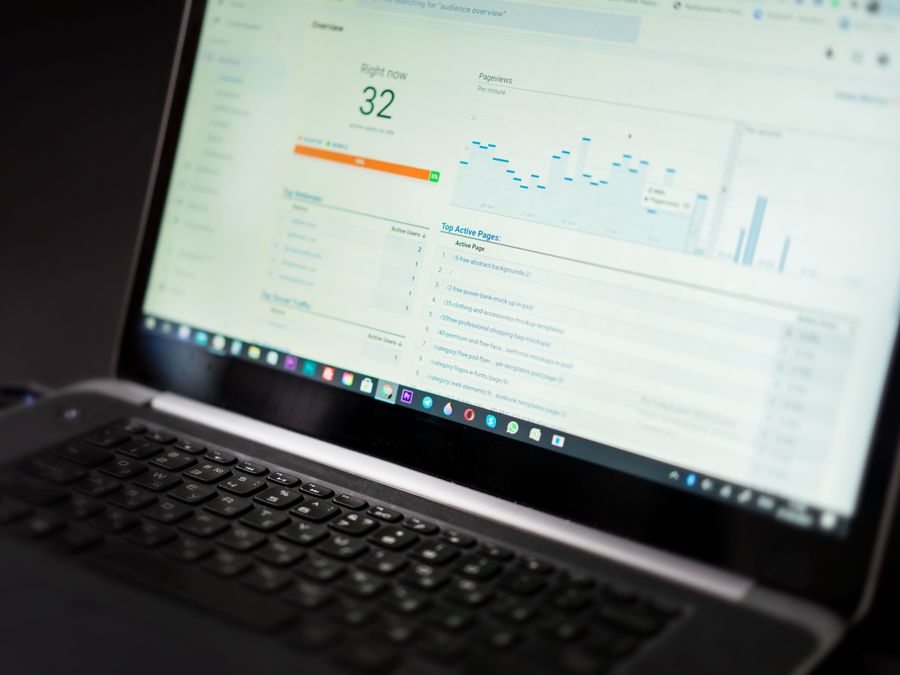
Measuring your results helps you understand what works and where you can improve. Instagram provides built-in analytics for shopping features that show you how people interact with your products.
Product views tell you how many times people tapped on your product tags to see more details. This metric shows which items generate the most interest. If certain products get lots of views but few purchases, you might need to adjust your pricing, descriptions, or images.
Website clicks show how many people moved from Instagram to your website to complete a purchase. Compare this number to your actual sales to understand your conversion rate. A high click rate with low sales might indicate problems with your checkout process or website experience.
Saved posts indicate strong purchase intent. When someone saves a post featuring your products, they are often planning to buy later. Track which posts get saved most frequently to understand what resonates with your audience.
Understanding Instagram metrics and KPIs helps you make data-driven decisions about your content and products. Look at trends over time rather than focusing on individual posts. Consistent tracking reveals patterns that can guide your strategy.
Beyond Instagram’s built-in analytics, use your e-commerce platform’s tracking to see the full picture. Connect your Instagram traffic to actual revenue to understand your return on investment. This complete view helps you allocate your time and budget more effectively.
Future Trends in Instagram Shopping
Instagram Shopping continues to evolve as the platform adds new features and technologies. Staying aware of these trends helps you prepare for changes and take advantage of new opportunities.
Live shopping has grown significantly, letting businesses sell products during live video broadcasts. Viewers can ask questions in real time and purchase items without leaving the stream. This format combines entertainment with commerce in a way that feels natural and engaging.
The integration of augmented reality (AR) into shopping experiences is becoming more common. AR try-on features let customers see how products like sunglasses, makeup, or furniture would look before buying. As this technology improves, it could reduce return rates and increase buyer confidence.
Checkout within Instagram, where available, removes friction from the buying process. Instead of redirecting to an external website, customers complete their entire purchase inside the app. This streamlined experience can significantly increase conversion rates.
The key to success is adapting your Instagram strategy as these features roll out. What works today might change tomorrow, so stay flexible and willing to experiment with new tools. Following official Instagram announcements and testing new features early can give you an advantage over competitors who are slower to adapt.
Growing Your E-commerce Revenue Beyond Instagram
While Instagram Shopping is powerful, it works best as part of a broader e-commerce strategy. Relying on a single platform creates risk, so smart businesses diversify their sales channels and income streams.
Consider how Instagram fits with your website, email marketing, and other social platforms. Each channel serves a different purpose and reaches different segments of your audience. Instagram might be where people discover your brand, while email is where you nurture relationships and drive repeat purchases.
For creators and small business owners, thinking about growing wealth as a digital creator means looking beyond immediate sales. Building an email list, creating digital products, or developing passive income streams can provide stability that social media sales alone cannot offer.
Instagram Shopping gives you a powerful tool for reaching customers where they already spend their time. By setting up your shop properly, creating engaging content, and tracking your results, you can turn casual scrollers into loyal customers. Start with the basics, experiment with what works for your specific audience, and keep adapting as the platform evolves. Your e-commerce success on Instagram is built one tagged product, one engaging post, and one satisfied customer at a time.
