


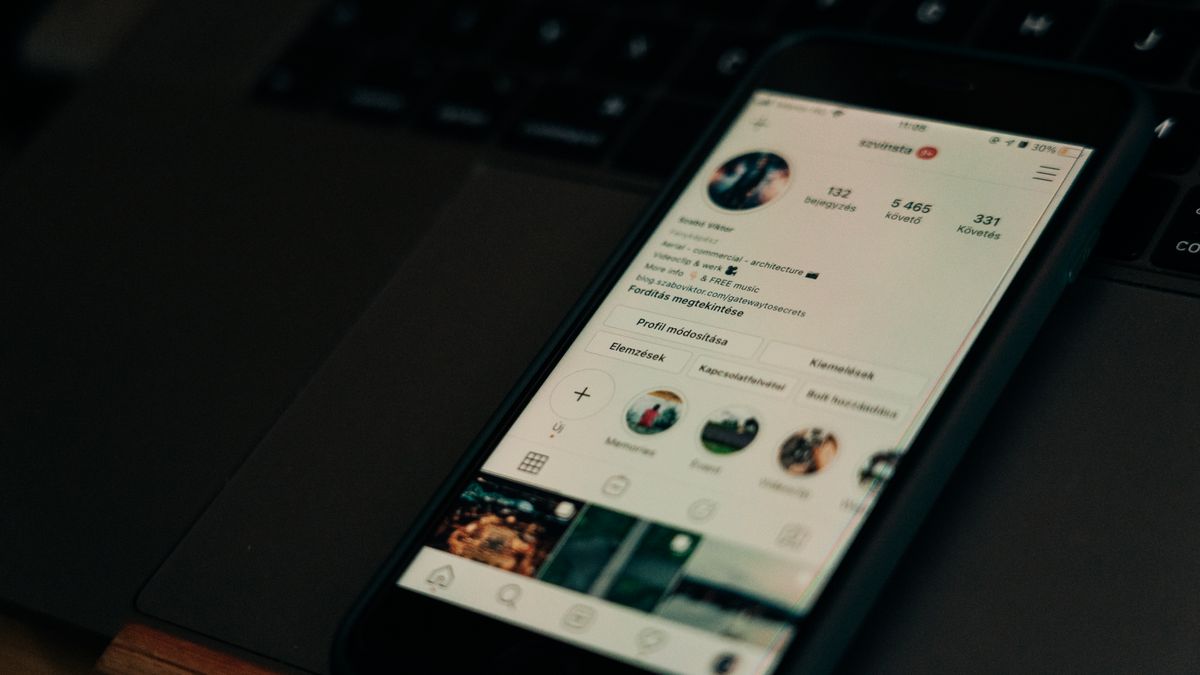
Every Instagram account has a unique web address that points directly to your profile. This link, known as your Instagram URL, makes it easy for anyone to find and visit your page with just one click. Whether you want to share your profile with friends, add it to your business card, or include it in your email signature, knowing how to find and use your Instagram URL is a simple but valuable skill.
Many people use Instagram daily without ever thinking about their profile link. But once you understand how your Instagram URL works, you can share your account more easily and connect with people across different platforms. This guide walks you through everything you need to know about finding, copying, and sharing your Instagram URL on both mobile devices and desktop computers.
What Is an Instagram URL?
An Instagram URL is the web address that leads directly to your Instagram profile. Every account on the platform has one, and it follows a simple structure: instagram.com followed by a forward slash and your username. For example, if your username is “johndoe,” your Instagram URL would be instagram.com/johndoe.
This URL works like any other website address. When someone types it into a web browser or clicks on it, they land on your Instagram profile page. From there, they can see your posts, bio, follower count, and other public information about your account.
Your Instagram URL is automatically created when you set up your account. You do not need to register it separately or pay for it. The platform assigns it based on the username you choose during signup. If you ever change your username, your URL changes too, which is something to keep in mind if you have shared your link in multiple places.
Understanding your Instagram URL is helpful for many reasons. You might want to promote your account on other social media platforms, include it in marketing materials, or simply share it with someone who wants to follow you. The Instagram Help Center provides additional details about account settings and profile management if you want to learn more about how your account works.
One thing to remember is that your Instagram URL is case-insensitive. This means instagram.com/JohnDoe and instagram.com/johndoe lead to the same profile. However, your actual username displays exactly as you typed it when you created your account.
How to Find Your Instagram URL on Mobile
Finding your Instagram URL on a mobile device is straightforward, though the exact steps depend on whether you use an iPhone or Android phone. The good news is that the process is similar on both operating systems since the Instagram app works the same way across platforms.
Here is how to find your Instagram URL using the mobile app:
- Open the Instagram app on your phone.
- Tap your profile picture in the bottom right corner to go to your profile page.
- Look at the top of your profile where your username appears.
- Tap the three horizontal lines (menu icon) in the top right corner.
- Select “Settings and privacy” from the menu.
- Tap “Account” and then look for “Share profile” or similar options.
Another quick method is to simply remember that your URL is instagram.com/ followed by your username. If you can see your username at the top of your profile, you already know your URL. You can type it out manually whenever you need to share it.
Some users prefer to copy their profile link directly from the app. To do this, go to your profile and tap the “Share profile” button if available. This option lets you copy the link or share it directly through messaging apps, email, or other platforms on your phone.
If you cannot find certain features or buttons in your app, you may need to update your Instagram app to the latest version. Instagram regularly adds new features and changes the interface, so keeping your app current ensures you have access to all available options.
For those who want to share someone else’s profile, the process is similar. Visit their profile, tap the three dots in the top right corner, and select “Share this profile” or “Copy profile URL” from the menu that appears.
How to Find Your Instagram URL on Desktop
Finding your Instagram URL on a computer is even simpler than on mobile because you can see the full web address right in your browser. This method works on any computer, whether you use Windows, Mac, or another operating system.
Follow these steps to find your Instagram URL on desktop:
- Open your preferred web browser (Chrome, Firefox, Safari, Edge, or any other).
- Go to instagram.com and log in to your account if you are not already signed in.
- Click on your profile picture in the top right corner of the page.
- Select “Profile” from the dropdown menu.
- Look at the address bar at the top of your browser window.
- The URL displayed there is your Instagram URL.
The address bar shows the complete link to your profile, which you can highlight, copy, and paste wherever you need it. Simply click in the address bar, select all the text (Ctrl+A on Windows or Cmd+A on Mac), and copy it (Ctrl+C or Cmd+C).
If you need to log in but have trouble accessing your account, you can create an Instagram login using Facebook if your accounts are connected. This can be a helpful alternative when you cannot remember your Instagram password.
One advantage of using the desktop version is that you can easily see and copy the exact URL format. This is useful when you need to verify that you have the correct link before adding it to a website, document, or printed material.
You can also find other users’ Instagram URLs on desktop by visiting their profiles. Just navigate to their page, and the address bar displays their unique profile link that you can copy and share.
How to Copy and Share Your Instagram Link
Once you know where to find your Instagram URL, the next step is learning how to copy and share it effectively. There are several methods depending on what device you are using and where you want to share your link.
Copying your link on mobile:
The Instagram app offers a built-in sharing feature that makes copying your link quick and easy. Go to your profile, tap the menu icon, and look for options like “Share profile” or “Copy link.” When you tap this option, your Instagram URL is copied to your clipboard, ready to paste into any app or message.
You can also manually type your URL if you prefer. Since the format is always instagram.com/yourusername, you can write it out in a text message, email, or anywhere else without needing to copy it from the app.
Copying your link on desktop:
On a computer, copying your Instagram URL is as simple as clicking in the browser address bar, selecting the entire URL, and pressing the copy keyboard shortcut. You can then paste it into documents, emails, website builders, or any other application.
Sharing through different platforms:
Once your Instagram URL is copied, you can share it almost anywhere. Common places to paste your link include:
- Text messages to friends and family
- Email messages or newsletters
- Other social media platforms like Twitter, Facebook, or LinkedIn
- Dating app profiles
- Online forums or community groups
- Job applications or professional portfolios
When sharing your link in a message, consider adding a brief note explaining what people will find when they visit your profile. This context helps recipients understand why you are sharing your Instagram and encourages them to click through and follow you.
Where to Share Your Instagram URL

Knowing where to share your Instagram URL can help you grow your audience and connect with people who might be interested in your content. There are many strategic places to include your profile link, both online and offline.
Email signatures:
Adding your Instagram URL to your email signature is a subtle but effective way to promote your account. Every email you send becomes an opportunity for recipients to discover and follow your Instagram. Most email programs let you customize your signature with clickable links.
Business cards:
If you use business cards for networking, including your Instagram URL makes it easy for new contacts to find you online. You can print the full URL or use a QR code that links directly to your profile.
Other social media profiles:
Cross-promoting your Instagram on other platforms helps you reach different audiences. Add your Instagram URL to your Twitter bio, Facebook page, LinkedIn profile, YouTube channel description, or TikTok bio. This creates multiple pathways for people to discover your Instagram content.
Personal or business websites:
If you have a website, adding your Instagram URL helps visitors connect with you on social media. You can include a simple text link, an Instagram feed widget, or a follow button. For creators who do not yet have a website, exploring website hosting for Instagram creators can be a good starting point for building an online presence beyond social media.
Link-in-bio tools:
Many people use link-in-bio services to create landing pages that house multiple links, including their Instagram URL. Linktree is a popular option that lets you create a simple page with buttons linking to your various online profiles and content. This is especially useful if you want to share multiple destinations from a single link.
Shortened links:
Sometimes a full Instagram URL can look long or cluttered, especially in printed materials or places with character limits. Using a link shortening service like Bitly can make your Instagram URL easier to share and remember. Shortened links also let you track how many people click through to your profile.
Offline materials:
Do not forget about physical locations where you can share your Instagram URL. Consider adding it to flyers, posters, product packaging, receipts, menus, or any printed materials associated with your brand or business.
How to Change Your Instagram Username and URL
Since your Instagram URL is based on your username, changing your username automatically changes your URL. This is important to understand because any links you have shared previously will stop working once you update your username.
Here is how to change your Instagram username:
- Open the Instagram app and go to your profile.
- Tap “Edit profile” below your bio.
- Tap the “Username” field.
- Delete your current username and type your new one.
- Tap “Done” or the checkmark to save your changes.
Before changing your username, keep a few things in mind. First, your old username becomes available for others to claim immediately after you change it. If you have built a following under your current name, someone else could take it and potentially confuse your audience.
Second, any links pointing to your old URL will no longer work. This includes links in email signatures, business cards, other social media profiles, and websites. You will need to update these links manually after changing your username.
Third, Instagram has rules about usernames. Your new username must be unique, meaning no one else on the platform can have the same one. It can only contain letters, numbers, periods, and underscores. Spaces and special characters are not allowed.
If you are struggling to come up with a good username, A guide to Instagram username generators can help you brainstorm ideas. These tools suggest available usernames based on keywords or themes you provide, making it easier to find something memorable and unique.
After changing your username, double-check that your new URL works by typing it into a browser. Then update all the places where you have shared your old link to ensure people can still find your profile.
Privacy Considerations When Sharing Your Instagram URL

Before sharing your Instagram URL widely, it is worth thinking about privacy and who will be able to see your content. Your account settings determine what happens when someone clicks on your profile link.
Public vs. private accounts:
If your account is public, anyone who visits your Instagram URL can see your posts, stories highlights, followers, and following lists. They can also follow you without needing your approval. This is ideal for creators, businesses, and anyone who wants to grow their audience.
If your account is private, visitors to your URL will only see your profile picture, bio, and follower count. They cannot see your posts unless you approve their follow request. This setting is better for personal accounts where you want to control who sees your content.
Selective sharing:
You do not have to share your Instagram URL everywhere. Consider who you want to reach and share your link accordingly. For example, you might share it freely on professional platforms but keep it off dating profiles if you prefer to maintain some separation between different areas of your life.
Some creators are exploring private Instagram communities as a way to share exclusive content with select followers. This approach lets you maintain a public presence while also offering something special to your most engaged audience members.
Managing unwanted attention:
Sharing your Instagram URL publicly can sometimes attract unwanted followers or interactions. If this happens, you have options. You can block someone on Instagram to prevent them from seeing your content or contacting you. You can also restrict accounts, which limits their interactions without fully blocking them.
Security awareness:
When sharing your profile link in public spaces, be aware of potential risks. Some bad actors use social media to target users with scams or malicious content. Understanding Instagram security threats can help you stay safe while promoting your account.
Review your profile before sharing your URL widely. Make sure your bio, profile picture, and visible content represent how you want to be seen. Remove or archive any posts that you would not want new visitors to see.
Tips for Growing Your Instagram After Sharing Your URL
Sharing your Instagram URL is just the first step. Once people start visiting your profile, you want to make a good impression and encourage them to follow you. Here are practical tips for turning profile visitors into engaged followers.
Optimize your profile:
Your profile is like a landing page for your Instagram. Make sure it clearly communicates who you are and what kind of content you share. Use a recognizable profile picture, write a compelling bio, and include relevant keywords that help people understand your niche.
Create a strong first impression:
When someone visits your profile, they see your most recent posts first. Make sure your top posts represent your best work and give visitors a reason to follow you. Consider how your posts look together as a grid and whether they create a cohesive visual impression.
Post consistently:
Regular posting keeps your account active and gives followers a reason to stay engaged. Develop a posting schedule that you can maintain over time. Tools like Later can help you plan and schedule posts in advance, making it easier to stay consistent even when you are busy.
Engage with your audience:
Responding to comments and messages shows followers that you value their interaction. Take time to reply thoughtfully and build genuine connections with your audience. Following Instagram commenting best practices can help you create meaningful conversations that encourage people to keep engaging with your content.
Use Instagram features:
Take advantage of all the features Instagram offers, including Stories, Reels, and Live videos. Different content formats reach different audiences and keep your profile interesting. Experiment to see what resonates best with your followers.
Cross-promote strategically:
Continue sharing your Instagram URL on other platforms, but do so thoughtfully. Instead of just posting your link, give people a reason to click. Tease exclusive content, behind-the-scenes looks, or special announcements that they can only find on your Instagram.
Consider growth services:
If you want to accelerate your growth, you might explore trusted Instagram growth services that can help you reach more people organically. These services use various strategies to increase your visibility and attract followers who are genuinely interested in your content.
Track your progress:
Use Instagram Insights (available for business and creator accounts) to see how people are finding your profile and which content performs best. This data helps you understand what is working and where you can improve.
Growing your Instagram takes time and effort, but sharing your URL strategically is an important part of the process. By making it easy for people to find your profile and giving them great content when they arrive, you set yourself up for sustainable growth over time.
Your Instagram URL is a simple but powerful tool for connecting with people online. Now that you know how to find, copy, and share your profile link, you can start using it to grow your presence and reach new audiences across the internet.
