



Your Instagram profile picture is one of the smallest images on the platform, but it carries a lot of weight. It’s the first thing people notice when they visit your profile, pop up in their notifications, or see your comments on other posts. A great profile picture can make someone curious enough to click through and explore your content, while a blurry or poorly chosen one might cause them to scroll right past.
Whether you’re building a personal brand, growing a business account, or simply want your profile to look polished, getting your Instagram profile picture right is worth the effort. The good news is that you don’t need professional photography equipment or advanced editing skills to create something that looks great. With a few simple tips and the right approach, anyone can create a profile picture that stands out.
This guide will walk you through everything you need to know about creating the perfect Instagram profile picture. From understanding the technical requirements to choosing the right photo, lighting tips, editing tools, and maintaining a consistent aesthetic, you’ll have all the information you need to make your profile shine.
Why Your Instagram Profile Picture Matters
Think of your Instagram profile picture as your digital handshake. It’s often the very first impression you make on potential followers, collaborators, or customers. When someone stumbles upon your comment on a popular post or sees you tagged in a story, your profile picture is what represents you in that tiny circular space.
A well-chosen profile picture does more than just show what you look like. It communicates something about your personality, your style, and what people can expect from your content. For businesses and creators, it’s a key part of your visual identity that helps people recognize and remember you across the platform.
Your profile picture also affects how trustworthy and approachable you appear. Accounts with clear, friendly profile pictures tend to feel more genuine than those with blurry images, random objects, or no picture at all. When you’re trying to build connections on Instagram, that sense of authenticity matters a lot.
Beyond first impressions, your profile picture works alongside other elements of your profile to create a cohesive look. If you’re interested in learning more about how all these pieces fit together, check out these Instagram profile design tips that can help you create a more engaging overall presence.
Instagram Profile Picture Size and Specifications
Before you start snapping photos or editing images, it helps to understand the technical requirements for an Instagram profile picture. Getting these details right ensures your image looks crisp and clear rather than pixelated or awkwardly cropped.
Instagram displays profile pictures at 110 by 110 pixels on most devices, but the platform actually stores them at a higher resolution. To make sure your image looks sharp on all screens, including high-resolution displays, you should upload a photo that’s at least 320 by 320 pixels. Many people recommend going even larger, around 400 by 400 pixels or more, to give yourself some extra quality buffer.
The most important thing to remember is that Instagram crops profile pictures into a circle. This means the corners of your square image will be cut off. When you’re choosing or editing your photo, make sure the important elements, especially your face or logo, are centered and not too close to the edges.
For file format, JPEG and PNG both work well. JPEG files are smaller and load quickly, while PNG files can preserve more detail if you’re using graphics or text. Either way, make sure your image file isn’t too compressed, as heavy compression can make your profile picture look blurry or grainy.
Choosing the Right Photo for Your Profile
Selecting the right photo is perhaps the most important step in creating a great Instagram profile picture. The image you choose should represent you authentically while also looking good at a small size.
For personal accounts, a clear headshot usually works best. Your face should be the main focus of the image, taking up most of the frame. Photos where you’re standing far away or surrounded by lots of other elements tend to get lost when shrunk down to profile picture size. Aim for a shot that shows your face from about the shoulders up.
Facial expressions matter more than you might think. A genuine smile or a relaxed, confident expression tends to make you look more approachable and friendly. Avoid overly serious or stiff poses unless that matches the vibe you’re going for. The goal is to look like someone people would want to follow and engage with.
When it comes to angles, slightly turning your head rather than facing the camera straight on can create a more dynamic and flattering look. Experiment with different angles to see what works best for your face shape. Some people look great with a slight tilt, while others prefer a more direct gaze.
If you’re drawn to trendy styles and poses, you might find inspiration in the Instagram baddie aesthetic, which features confident poses and polished looks that photograph well. Even if that’s not your exact style, studying popular aesthetics can give you ideas for your own profile picture.
There are also some things you should avoid. Group photos make it hard for people to know which person you are. Sunglasses or hats that obscure your face can make you seem less approachable. Heavily filtered or distorted images might look fun but can come across as unprofessional. And photos with busy backgrounds can be distracting at small sizes.
If you’re just getting started on the platform and about to create your Instagram account, take some time to think about your profile picture before you upload anything. Starting with a strong image sets the right tone from day one.
Lighting and Background Tips for Better Photos
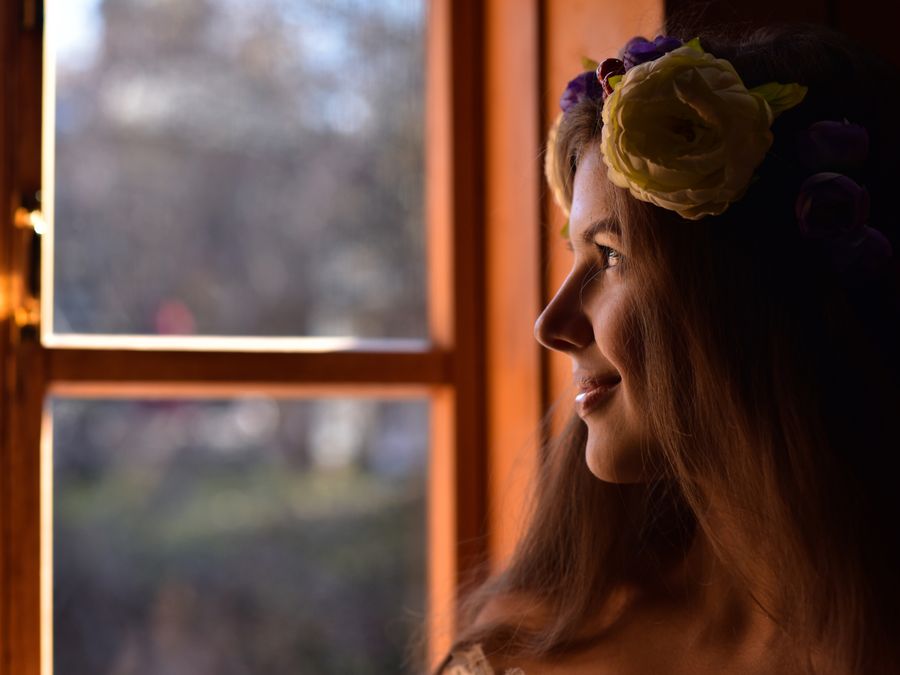
Good lighting can transform an ordinary photo into something that looks professional and polished. You don’t need expensive studio equipment to achieve great results. Natural light is your best friend when it comes to profile pictures.
The ideal lighting for a profile picture is soft and even, without harsh shadows across your face. The easiest way to achieve this is to position yourself near a window during the day. Face the window so the light falls evenly on your face. Avoid standing with the window behind you, as this creates a silhouette effect where your face appears dark.
Overcast days actually provide some of the best natural lighting for photos. The clouds act like a giant softbox, diffusing the sunlight and eliminating harsh shadows. If you’re shooting on a sunny day, try to find some shade or wait until the golden hour, which is the hour after sunrise or before sunset when the light is warm and flattering.
Indoor lighting can be trickier. Overhead lights often create unflattering shadows under your eyes and nose. If you’re shooting indoors without natural light, try positioning a lamp in front of you at eye level or slightly above. Ring lights have become popular for this exact reason, as they provide even, flattering light that minimizes shadows.
Your background matters too, even though it might seem like a small detail. A clean, uncluttered background helps you stand out as the main subject of the photo. Solid colors work well, as do simple textures like a plain wall or a leafy outdoor setting. Avoid backgrounds with lots of visual noise, like messy rooms or crowded streets, as these can be distracting even at small sizes.
If you can’t find a suitable background, don’t worry. There are editing tools that can help you remove or replace backgrounds, which we’ll cover in the next section.
Editing Tools to Enhance Your Profile Picture
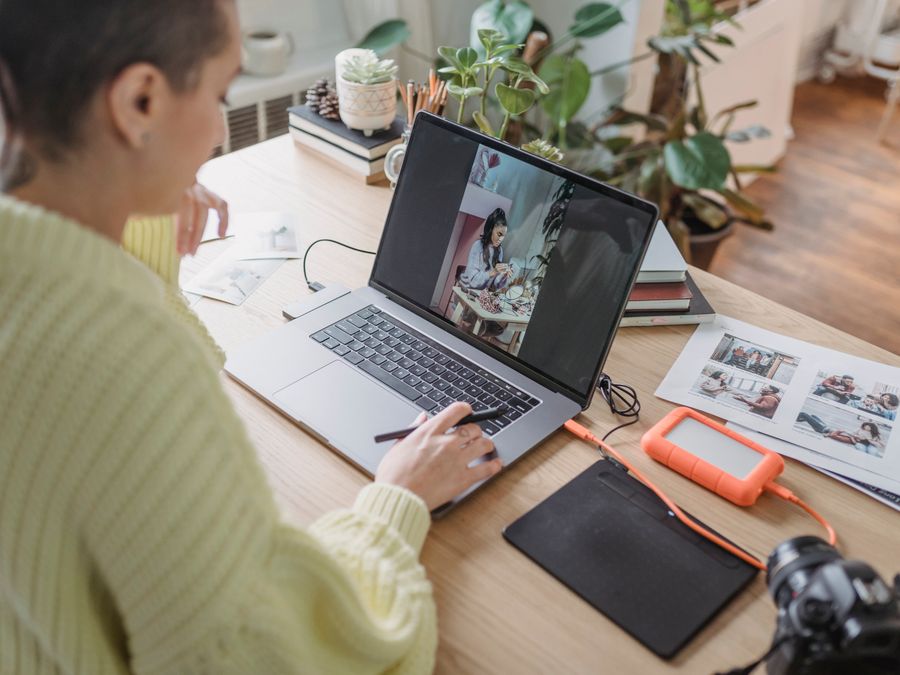
Once you have a good base photo, editing can help you take it to the next level. The goal isn’t to completely transform your appearance but to enhance the image so it looks its best. A few simple adjustments can make a big difference in how polished and professional your profile picture appears.
One of the most versatile tools for creating and editing profile pictures is Canva. This platform offers easy-to-use templates and editing features that work well even if you have no design experience. You can crop your image to the right dimensions, adjust brightness and contrast, and add subtle enhancements that make your photo pop.
For quick photo enhancements on the go, Adobe Express is another excellent option. It offers one-tap adjustments that can improve your photo’s lighting, color balance, and overall quality in seconds. The app also includes tools for resizing and cropping, making it easy to get your image ready for Instagram.
If your photo has a distracting background, Remove.bg can help you remove it automatically. This tool uses artificial intelligence to separate you from the background, leaving you with a clean cutout that you can place on any solid color or new background. It’s particularly useful if you took a great photo but the setting behind you isn’t ideal.
For those who want to apply filters and create a consistent look across their photos, VSCO is a popular choice. The app offers a wide range of filters that can give your profile picture a specific mood or aesthetic. Many Instagram users rely on VSCO to maintain a cohesive visual style across their entire feed.
If you’re looking for something with a more distinctive vintage feel, the Huji photo editing app creates film-like effects that have become quite popular on Instagram. While these filters might be too stylized for some profile pictures, they can work beautifully if that retro aesthetic matches your overall brand.
Basic Editing Adjustments to Consider
When editing your profile picture, start with these fundamental adjustments:
- Brightness and exposure: Make sure your face is well-lit and visible. If the photo is too dark, increase the brightness slightly.
- Contrast: A small boost in contrast can make your image look more vibrant and defined.
- Saturation: Adjust the color intensity to make your photo look natural. Avoid oversaturating, which can make skin tones look unnatural.
- Sharpness: A slight increase in sharpness can help your features look crisp, especially important for small images.
- Cropping: Make sure your face is centered and takes up most of the frame, keeping the circular crop in mind.
Remember that less is often more when it comes to editing. Heavy filters or dramatic adjustments can make your photo look artificial. Aim for enhancements that make you look like the best version of yourself, not a completely different person.
Creating a Consistent Aesthetic with Your Profile Picture
Your Instagram profile picture doesn’t exist in isolation. It’s part of a larger visual story that includes your bio, highlights, and the grid of posts on your profile. When all these elements work together harmoniously, your profile feels more professional and memorable.
Think about the overall mood and color palette of your Instagram feed. If your posts tend to feature warm, earthy tones, a profile picture with similar colors will feel cohesive. If your feed is bright and colorful, a vibrant profile picture will match that energy. The goal is to create visual consistency so that everything feels like it belongs together.
Some creators choose to go all-in on a specific aesthetic. For example, if you’re interested in a monochrome look, you might explore the black and white aesthetic on Instagram for your entire profile, including your profile picture. This kind of commitment to a visual style can make your account instantly recognizable.
Your profile picture and your content should also tell a consistent story about who you are. If you’re a fitness enthusiast, a profile picture in workout gear makes sense. If you’re a food blogger, a warm and inviting headshot might work better than something overly formal. Think about what your target audience expects and what will resonate with them.
First impressions extend beyond just your profile picture. When someone lands on your profile, they’ll also see your most recent posts. That’s why picking the perfect first Instagram post matters just as much as choosing the right profile picture. Together, these elements create a complete picture of what your account is all about.
Color Coordination Tips
Here are some practical ways to ensure your profile picture matches your overall aesthetic:
- Look at the dominant colors in your recent posts and try to incorporate similar tones in your profile picture.
- If you use a specific filter on your posts, consider applying a similar treatment to your profile picture.
- Pay attention to what you’re wearing in the photo. Clothing colors can either complement or clash with your feed’s palette.
- Consider the background color of your profile picture and how it will look next to your grid.
Profile Picture Tips for Personal vs Business Accounts
The approach you take to your Instagram profile picture should vary depending on whether you’re running a personal account, a business account, or a creator account. Each type has different goals and audiences, which affects what kind of image works best.
For personal accounts, authenticity is key. Your profile picture should look like you on a good day, not a heavily edited version that people wouldn’t recognize in real life. A friendly, approachable headshot works well for most personal accounts. You have more freedom to be creative or casual since you’re representing yourself rather than a brand.
Business accounts often benefit from using a logo as the profile picture, especially if the business is well-established and the logo is recognizable. However, for small businesses or personal brands, a photo of the founder or owner can feel more personal and trustworthy. People often prefer to connect with faces rather than logos, so consider what will resonate most with your target customers.
Creator accounts fall somewhere in between. If you’re building a personal brand as an influencer, artist, or content creator, your face is usually your brand. A professional-looking headshot that captures your personality tends to work best. The image should give potential followers a sense of who you are and what kind of content they can expect.
It’s also worth considering how your profile picture appears in different contexts. On private profiles on Instagram, your profile picture is one of the few things visible to people who don’t follow you. This makes it even more important to choose an image that accurately represents your account and encourages the right people to send follow requests.
Quick Recommendations by Account Type
- Personal accounts: Friendly headshot, genuine expression, reflects your personality
- Business accounts: Logo for established brands, founder photo for personal brands or small businesses
- Creator accounts: Professional headshot that captures your unique style and energy
How to Upload and Change Your Instagram Profile Picture
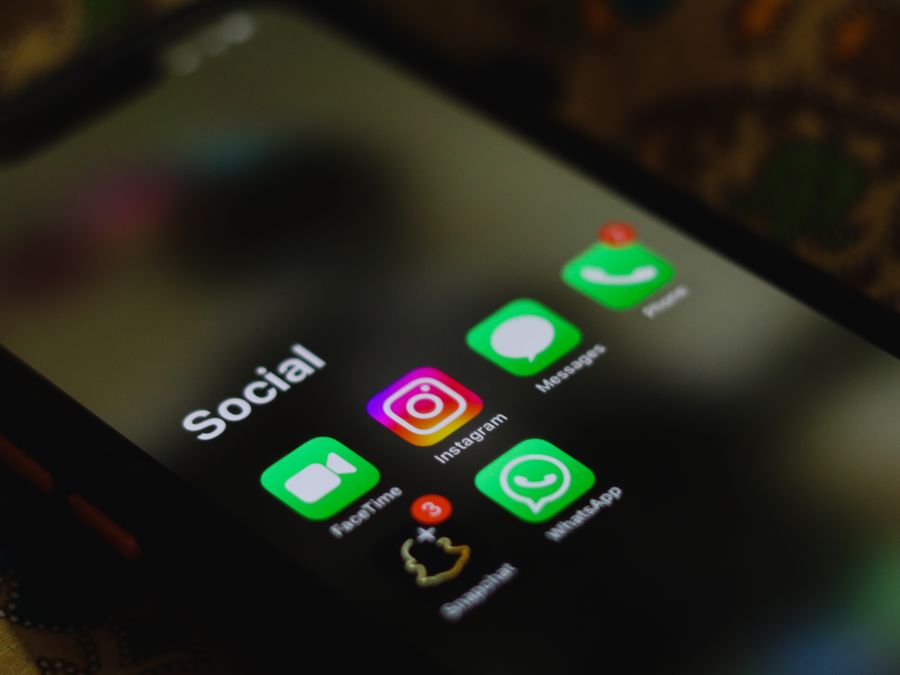
Once you’ve created the perfect Instagram profile picture, uploading it is straightforward. The process is similar whether you’re using the mobile app or accessing Instagram through a web browser, though there are some small differences.
Before you change your profile picture, you might want to save Instagram photos including your current profile picture. This way, you’ll have a backup in case you ever want to use it again or simply want to keep a record of how your profile has evolved over time.
On Mobile (iOS and Android)
- Open the Instagram app and go to your profile by tapping your profile picture in the bottom right corner.
- Tap the “Edit profile” button below your bio.
- Tap on your current profile picture or the “Change profile photo” option.
- Choose where you want to import your new photo from. You can select from your camera roll, take a new photo, or import from Facebook.
- Once you’ve selected your image, you can adjust the positioning and zoom level. Remember that Instagram will crop it into a circle.
- Tap “Done” or the checkmark to save your new profile picture.
On Desktop
- Go to Instagram.com and log into your account.
- Click on your profile picture in the top right corner, then click “Profile.”
- Click “Edit profile.”
- Click on your current profile picture.
- Select “Upload photo” and choose an image from your computer.
- Adjust the positioning as needed and save your changes.
Your new profile picture will be visible immediately across the platform. It will appear on your profile, in comments you’ve made, in direct messages, and anywhere else your account shows up. Keep in mind that it might take a few moments for the change to propagate everywhere, so don’t worry if you see your old picture briefly after making the switch.
If you’re not happy with how your new profile picture looks after uploading, you can always change it again. There’s no limit to how often you can update your profile picture, so feel free to experiment until you find something that feels right. Many users update their profile pictures seasonally or whenever they feel like refreshing their look.
Creating the perfect Instagram profile picture takes a bit of thought and effort, but the results are worth it. A great profile picture helps you make strong first impressions, builds trust with potential followers, and contributes to a cohesive visual identity for your account. By following the tips in this guide, choosing the right photo, optimizing your lighting and background, using editing tools wisely, and maintaining consistency with your overall aesthetic, you’ll be well on your way to a profile picture that truly represents you and helps your Instagram presence shine.
