


Keeping your Instagram app up to date is one of the simplest things you can do to enjoy a smooth, secure experience on the platform. Whether you want access to the latest features, better performance, or important security fixes, knowing how to update Instagram is essential for every user.
Many people overlook app updates or put them off for later, but staying current with the latest version can make a real difference in how Instagram works for you. From new creative tools to bug fixes that solve annoying glitches, updates bring improvements that enhance your daily scrolling, posting, and connecting with friends.
In this guide, you will learn everything you need to know about updating Instagram. We will walk through step-by-step instructions for both iPhone and Android devices, explain how to set up automatic updates, troubleshoot common problems, and explore the exciting features that come with keeping your app current.
Why You Should Keep Instagram Updated
You might wonder why updating Instagram matters so much. After all, if the app is working fine, why bother? The truth is that updates bring several important benefits that affect your experience in ways you might not immediately notice.
First, updates often include new features that expand what you can do on the platform. Instagram regularly adds creative tools, editing options, and ways to interact with content. If you are running an older version, you might miss out on these additions entirely. The Meta Help Center is a great resource where you can learn about new features and changes that come with each update.
Security is another major reason to stay updated. As threats evolve online, Instagram releases patches to protect your account and personal information. Running an outdated version could leave you vulnerable to security issues that have already been fixed in newer releases.
Bug fixes are also a big part of updates. If you have ever experienced crashes, slow loading times, or features that do not work properly, an update might solve these problems. Developers constantly work to identify and fix issues that users report.
Performance improvements come with updates too. Newer versions are often optimized to run more smoothly, use less battery, and load content faster. This means a better overall experience when you are browsing your feed or watching Stories.
Updates also ensure you stay aligned with the platform’s policies. Changes to Instagram community guidelines are often reflected in app updates, helping you understand what is expected and keeping your account in good standing.
How to Update Instagram on iPhone
Updating Instagram on your iPhone is a straightforward process that takes just a few minutes. Here is how to do it manually through the App Store.
Start by opening the App Store on your iPhone. You can find it on your home screen with the familiar blue icon featuring a white letter A. Once the App Store is open, tap on your profile picture in the top right corner of the screen. This will take you to your account page where you can see pending updates.
Scroll down to find the list of available updates. If Instagram has an update waiting, you will see it listed here with an Update button next to it. Tap the Update button, and the download will begin. You can also find Instagram directly in the Apple App Store by searching for it and checking if an update is available on the app page.
If you want to update all your apps at once, you can tap Update All at the top of the updates list. This is a convenient option if you have multiple apps waiting for updates.
The download time depends on your internet connection speed and the size of the update. Most Instagram updates are relatively small and should complete within a minute or two on a decent Wi-Fi connection. Once the update finishes downloading, it will install automatically, and you can open Instagram to enjoy the latest version.
If you do not see an update available but believe there should be one, try pulling down on the updates screen to refresh the list. Sometimes it takes a moment for new updates to appear.
How to Update Instagram on Android
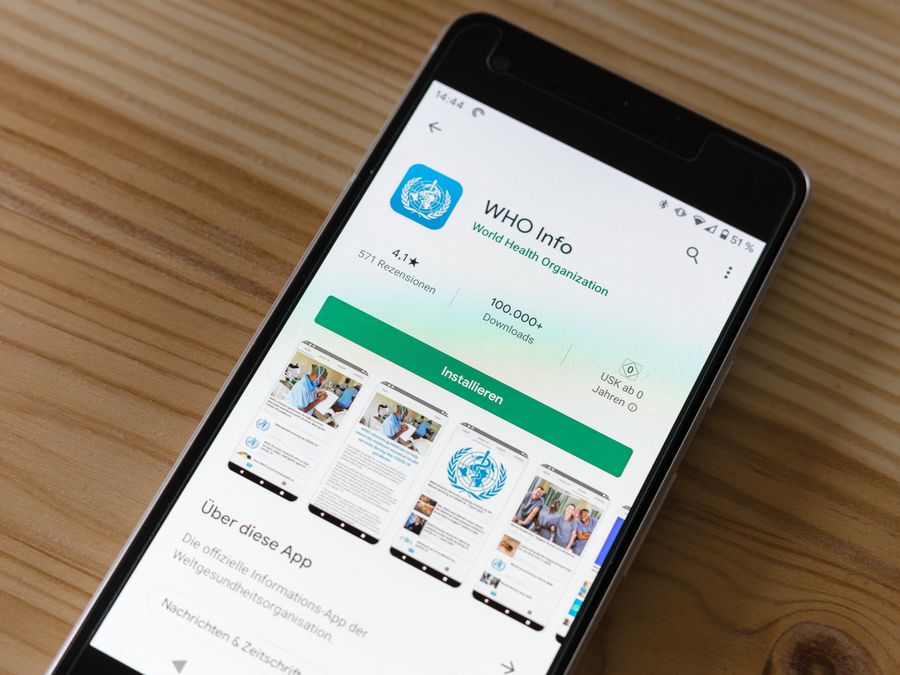
Android users can update Instagram through the Google Play Store. The process is simple and similar to updating any other app on your device.
Open the Google Play Store app on your Android phone. You will find it in your app drawer or on your home screen with the colorful triangle play button icon. Once inside, tap on your profile icon in the top right corner of the screen.
From the menu that appears, select Manage apps and device. This section shows you information about your installed apps, including which ones have updates available. You will see a section labeled Updates available if any of your apps need updating.
Tap on Updates available to see the full list. Look for Instagram in this list. If an update is ready, you will see an Update button next to it. Tap this button to start the download and installation process. You can also visit the Google Play Store page for Instagram directly by searching for the app and checking for updates there.
For more detailed information about managing your app update settings on Android, Google provides helpful guidance that covers all the options available to you.
If you prefer to update all apps at once, you can tap Update all instead of updating Instagram individually. This saves time if you have several apps waiting for updates.
The update will download and install in the background. You can continue using your phone while this happens. Once complete, the next time you open Instagram, you will be running the latest version with all its new features and improvements.
How to Enable Automatic Updates for Instagram
If you want to make sure you never miss an Instagram update, setting up automatic updates is the way to go. This feature downloads and installs updates in the background without you having to do anything.
Automatic Updates on iPhone
To enable automatic updates on your iPhone, open the Settings app and scroll down to find App Store. Tap on it to open the App Store settings. Look for the Automatic Downloads section and toggle on App Updates. With this setting enabled, your iPhone will automatically download and install updates for all your apps, including Instagram, whenever updates become available.
You can also choose whether automatic updates happen over cellular data or only on Wi-Fi. If you have limited mobile data, keeping automatic downloads set to Wi-Fi only is a smart choice.
Automatic Updates on Android
On Android, open the Google Play Store and tap your profile icon. Select Settings from the menu, then tap Network preferences. Here you will find Auto-update apps. Tap on this option and choose your preferred setting. You can select to auto-update over any network, only over Wi-Fi, or turn off auto-updates entirely.
Choosing Wi-Fi only is recommended if you want to save mobile data while still keeping your apps current.
Enabling automatic updates ensures you always have the latest private profile settings and privacy features that Instagram releases. This is especially important as the platform continues to add new ways to control who sees your content and information.
Common Instagram Update Problems and How to Fix Them

Sometimes updating Instagram does not go as smoothly as expected. Here are some common problems users encounter and practical solutions to fix them.
Update Not Showing in the App Store
If you know an update exists but cannot find it in your app store, try these steps. First, close the app store completely and reopen it. On iPhone, swipe up from the bottom of the screen and swipe away the App Store. On Android, go to your recent apps and close the Play Store.
Next, try refreshing the updates page by pulling down on the screen. If the update still does not appear, sign out of your app store account and sign back in. This often forces the store to refresh its data and show available updates.
Download Stuck or Failing
A stuck download can be frustrating. Start by checking your internet connection. Try loading a website or another app to make sure you are connected. If your connection is fine, pause the download and restart it.
Restarting your phone can also help clear temporary issues that might be blocking the download. If the problem continues, try connecting to a different Wi-Fi network or switching between Wi-Fi and mobile data.
Insufficient Storage Space
Updates require free space on your device. If you see a message about insufficient storage, you will need to make room before the update can proceed. Go through your photos, videos, and apps to delete things you no longer need. You can also offload unused apps on iPhone, which removes the app but keeps its data for later.
Clearing your app cache can free up space too. On Android, go to Settings, then Apps, find Instagram, and tap Clear Cache. This removes temporary files without deleting your account data.
Compatibility Errors
Older devices may not support the latest Instagram versions. If you receive a compatibility error, check the minimum requirements for the current Instagram version. Unfortunately, if your device is too old, you may not be able to update to the newest version.
In this case, you can continue using your current version, but keep in mind that some features may stop working over time as Instagram phases out support for older versions.
App Crashes After Updating
If Instagram crashes or behaves strangely after an update, try closing the app completely and reopening it. If that does not help, restart your phone. You can also try clearing the app cache on Android or deleting and reinstalling the app entirely.
Updating can sometimes help resolve issues with features like dealing with spam comments not working properly, as newer versions often include improved spam protection.
What to Do If Instagram Update Is Not Available
Sometimes you might hear about a new Instagram feature or update, but when you check your app store, nothing is available. This can happen for several reasons.
Instagram often rolls out updates gradually. This means not everyone gets the update at the same time. The company tests new features with smaller groups of users before releasing them widely. If your friends have an update that you do not, you might just need to wait a few days or weeks for it to reach you.
Your device’s operating system version can also affect update availability. Instagram requires a minimum iOS or Android version to run. If your phone’s operating system is outdated, you may need to update it first before the Instagram update becomes available.
Regional differences can play a role too. Some features are released in certain countries before others. If you are in a region where a feature has not launched yet, you will need to wait for the wider rollout.
To check if your device is compatible, visit the Instagram page in your app store and look at the requirements section. This will tell you the minimum operating system version needed.
Keep in mind that some features like Instagram character limits may vary based on your app version. Running the latest version ensures you have access to any expanded limits or new options that have been introduced.
New Features You Get With Instagram Updates

One of the most exciting reasons to keep Instagram updated is gaining access to new features. The platform constantly evolves, adding tools and options that make the experience more enjoyable and creative.
Creative Tools and Filters
Instagram regularly introduces new filters, effects, and editing tools. These let you enhance your photos and videos in fresh ways. Updates often bring new Instagram face filters that you can use in Stories and Reels to add fun effects to your content.
Stickers, fonts, and interactive elements for Stories also get added through updates. These creative options help you express yourself and engage with your audience in new ways.
Improved Editing Capabilities
Photo and video editing tools within Instagram continue to improve. Updates may bring better adjustment options, new cropping ratios, or enhanced color correction tools. Learning to crop images for Instagram becomes even easier as the platform adds more intuitive editing features.
New Posting Formats
Instagram has introduced various content formats over the years, from Stories to Reels to collaborative posts. Staying updated ensures you can use these formats as soon as they become available. You will also get improvements to existing formats, like longer video lengths or new music options for Reels.
Enhanced Messaging Features
Direct messages receive regular updates too. New features might include better group chat options, improved media sharing, or new ways to react to messages. These updates make communicating with friends and followers more convenient.
Accessibility Improvements
Instagram works to make the platform more accessible with each update. This includes better screen reader support, improved alt text options for images, and other features that help all users enjoy the platform.
Tips for Getting the Most Out of Your Updated Instagram
After updating Instagram, take some time to explore what is new. Here are some tips to help you make the most of your updated app.
Check the What’s New section in your app store listing. This often provides a summary of the latest changes and additions. Reading this can help you discover features you might otherwise miss.
Explore your settings after updating. New privacy options, notification controls, or account features may have been added. Taking a few minutes to review your settings ensures everything is configured the way you want.
Try out new creative tools right away. If the update includes new filters, stickers, or editing options, experiment with them while they are fresh. This helps you learn what is available and how to use it effectively.
If you are new to Instagram or want to revisit the basics, take time to find your Instagram URL and make sure your profile is set up the way you want. Updates sometimes change where certain features are located in the app.
Consider exploring tools that complement your Instagram presence. Services like bio.fm let you create a custom landing page for your bio link, which can be especially useful if you want to share multiple links with your followers.
Practice creating Instagram posts using any new features the update provides. Whether it is a new editing tool or a different posting format, hands-on practice is the best way to learn.
Finally, keep an eye on Instagram’s official announcements and help resources. The platform often shares tips and tutorials about new features, helping you understand how to use them effectively.
Knowing how to update Instagram and staying current with the latest version ensures you always have the best experience the platform offers. Whether you use an iPhone or Android device, the update process is simple and well worth the few minutes it takes. With automatic updates enabled, you can enjoy new features and improvements without even thinking about it. Take the time to explore what each update brings, and you will continue to get more out of Instagram with every new version.
