

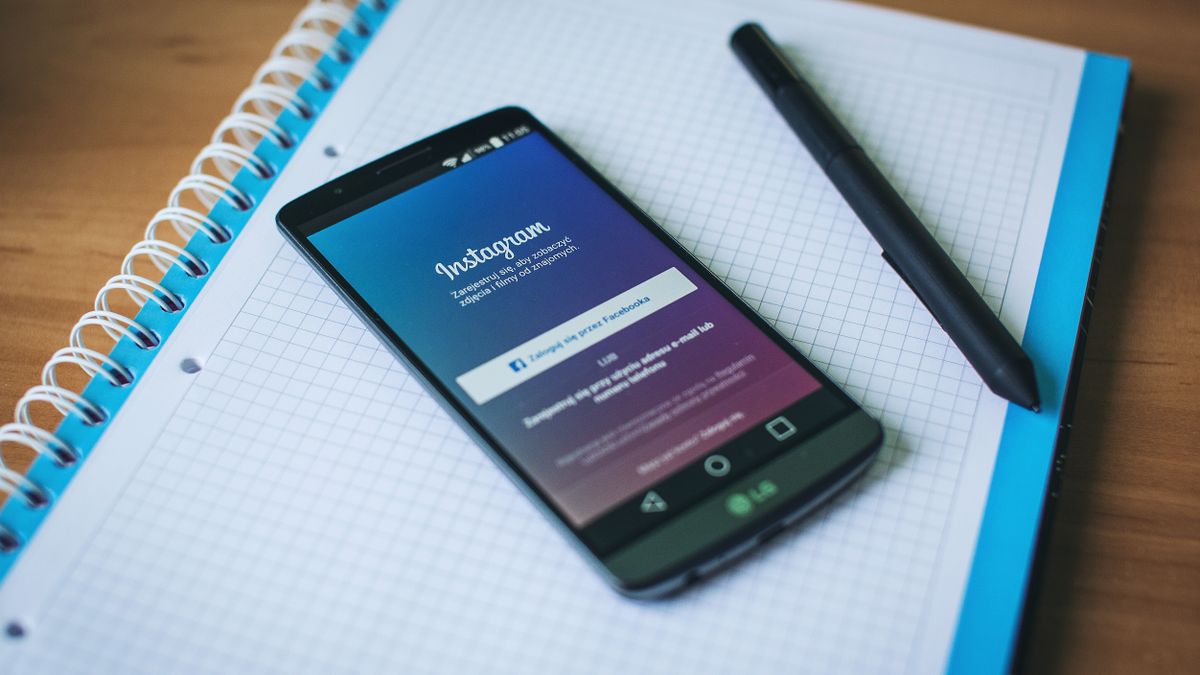
If you’ve ever wondered whether you should make your Instagram account private, you’re not alone. Many people think about this decision at some point, whether they’re concerned about who can see their photos, tired of random follow requests, or simply want more control over their online presence.
Private profiles on Instagram give you the power to decide who gets to see your content. Instead of letting anyone browse through your posts, stories, and reels, you can limit access to only the people you approve. This simple setting can make a big difference in how you experience the platform.
In this guide, we’ll walk you through everything you need to know about private profiles on Instagram. You’ll learn what going private actually means, how to change your settings, what stays visible even after you switch, and the pros and cons of making this choice. Whether you’re a casual user or someone who posts regularly, understanding these privacy options helps you use Instagram in a way that feels right for you.
What Is a Private Profile on Instagram?
A private profile on Instagram is an account setting that restricts who can see your content. When your account is private, only people you approve as followers can view your posts, stories, reels, and highlights. Everyone else who visits your profile will see a message saying the account is private, and they’ll need to send a follow request to see more.
Think of it like having a fence around your content. With a public account, anyone can walk right in and look around. With a private account, people have to knock on the door first, and you get to decide whether to let them in.
This setting exists because Instagram recognizes that not everyone wants their content visible to the entire world. Some people use the platform to share moments with close friends and family, while others prefer to keep their online presence more controlled. The private profile option gives you that flexibility.
When you set your account to private, Instagram doesn’t notify your existing followers. They’ll continue to see your content as usual. The change only affects new people who want to follow you—they’ll need your approval first. You can learn more about how Instagram handles your data and privacy by visiting Meta’s Privacy Center, which explains the platform’s approach to protecting user information.
How to Make Your Instagram Account Private
Switching your Instagram account from public to private takes just a few taps. The process is straightforward whether you’re using a phone or a computer. Before you start, make sure you update your Instagram app to access the latest privacy settings and features.
On Mobile (iPhone and Android)
Open the Instagram app and go to your profile by tapping your profile picture in the bottom right corner. Then tap the three horizontal lines in the top right corner to open the menu. Select “Settings and privacy” from the list. Scroll down to find “Account privacy” and tap on it. You’ll see a toggle next to “Private account.” Simply turn this toggle on, and your account becomes private immediately.
On Desktop
Log into Instagram through your web browser at instagram.com. Click on your profile picture in the bottom left corner, then click “Settings.” From the left sidebar, select “Settings and privacy,” then look for “Account privacy.” Toggle the “Private account” option to turn it on.
After you make this change, any pending follow requests will remain pending until you approve or decline them. New visitors to your profile won’t be able to see your posts until you accept their follow request. If you run into any issues during this process, the Instagram Help Center provides official step-by-step guidance for managing your account settings.
What Does a Private Profile Hide?
When you switch to a private profile, several types of content become hidden from people who don’t follow you. Understanding exactly what gets protected helps you make an informed decision about your privacy settings.
Your posts are the most obvious thing that becomes hidden. This includes all photos and videos you’ve shared to your feed, whether they were posted yesterday or years ago. Non-followers will see your profile but won’t be able to view any of your posts—they’ll just see a lock icon and a message about the account being private.
Your stories also become private. Only approved followers can view your daily stories, and they won’t appear in the public stories feed for non-followers. The same applies to your story highlights—those curated collections on your profile remain visible only to your followers.
Reels you create won’t show up in the Explore page or Reels tab for people who don’t follow you. While public accounts can have their reels discovered by anyone browsing Instagram, private accounts keep this content limited to their follower list.
Tagged photos work a bit differently. If someone tags you in a post and their account is public, that tagged photo can still be seen by others. However, the tagged photos section on your own profile remains hidden from non-followers. If you’re curious about who views your Instagram profile, keep in mind that private settings significantly limit who can actually see your content in the first place.
Your follower and following lists also become private. Non-followers can see the numbers (how many followers you have and how many accounts you follow), but they can’t click through to see the actual list of people.
What Stays Visible on a Private Account?
Even with a private profile, certain elements of your account remain visible to everyone on Instagram. Knowing what stays public helps you present yourself appropriately to people who might discover your profile.
Your username is always visible and searchable. Anyone can find your account by searching for your username, and it will appear in search results. This is why choosing your Instagram username carefully matters—it’s one of the first things people see about you, regardless of your privacy settings.
Your profile photo remains visible to everyone. When someone visits your profile or sees your account in search results, they’ll see your profile picture. If you want to maintain more anonymity, consider using an image that doesn’t clearly show your face.
Your bio is also public. The text you write about yourself, any links you include, and your location (if you’ve added one) can be seen by anyone who visits your profile. This gives potential followers a sense of who you are before they decide to send a follow request.
Your follower count and following count are visible, though the actual lists of people are hidden. Someone can see that you have a certain number of followers, but they can’t see who those followers are unless they follow you themselves.
If you have a business or creator account, some additional information may remain visible, such as your business category or contact buttons. Keep this in mind if you’re using Instagram for professional purposes but still want some level of privacy.
Reasons to Switch to a Private Profile
People choose to make their Instagram accounts private for many different reasons. Understanding these motivations can help you decide if going private is the right choice for your situation.
Personal Safety and Security
One of the most common reasons people go private is for safety. A private profile gives you control over who sees your photos, location tags, and personal information. This can be especially important for people who have experienced unwanted attention or harassment issues online. By limiting access to your content, you reduce the chances of strangers learning details about your life that you’d rather keep private.
Controlling Your Audience
With a private account, you get to choose exactly who sees your content. This is helpful if you want to share personal moments with friends and family without worrying about coworkers, acquaintances, or strangers seeing them. You can be more authentic and relaxed in what you post when you know your audience is limited to people you trust.
Reducing Unwanted Interactions
Public accounts often attract spam comments, random direct messages, and follow requests from bots or people you don’t know. If you’re tired of dealing with spam comments or filtering through messages from strangers, going private can significantly reduce these annoyances. When only approved followers can see your content, you’ll generally receive fewer unwanted interactions.
Setting Healthier Boundaries
Some people switch to private accounts as part of creating healthier Instagram usage habits. When your account is private, you might feel less pressure to post content that appeals to a wide audience. You can focus on sharing what matters to you rather than chasing likes and engagement from strangers. This shift in mindset can make your Instagram experience more enjoyable and less stressful.
Protecting Children and Family
Parents often keep their accounts private to protect photos of their children from being seen by strangers. Even if you don’t post pictures of kids, you might want to keep family gatherings, home interiors, or other personal content away from public view.
Downsides of Having a Private Instagram Account
While private profiles offer many benefits, they also come with some trade-offs. Understanding these downsides helps you make a balanced decision about your privacy settings.
Limited Discoverability
When your account is private, new people can’t easily discover your content. Your posts won’t appear on the Explore page, and your reels won’t show up in the public Reels feed. If you’re hoping to connect with new people who share your interests, a private account makes this much harder.
Slower Follower Growth
Building a following takes longer with a private account. People can’t see your content before deciding to follow you, so they’re essentially following you blind. Many users are hesitant to send follow requests to private accounts, especially if they don’t know the person. This means you’ll likely gain followers more slowly than you would with a public account.
Reduced Engagement Opportunities
Private accounts miss out on engagement from the broader Instagram community. Your posts can’t go viral, and you won’t benefit from the algorithm showing your content to new audiences. If you enjoy the social aspect of Instagram and want to participate in larger conversations, a private account limits these opportunities.
Challenges for Creators and Businesses
If you’re trying to build a brand, promote a business, or establish yourself as a content creator, a private account works against these goals. However, some creators intentionally use private Instagram communities to build exclusive spaces for their most dedicated followers. This strategy can work well for certain types of content, but it requires an existing audience who will seek you out.
Inconvenience for Sharing
When you want to share your posts with someone who doesn’t follow you, they won’t be able to see the content unless you approve their follow request first. This can be awkward in situations where you want to quickly show someone a photo or video from your account.
Can Someone View Your Private Profile Without Following You?
This is one of the most common questions people have about private profiles on Instagram. The short answer is no—Instagram’s privacy settings are designed to prevent non-followers from seeing your content.
When your account is private, the only way someone can see your posts, stories, and reels is if you approve their follow request. Instagram doesn’t have any built-in feature that allows people to bypass this restriction.
However, you might have heard about third-party tools that claim to let people view private accounts. These include websites and apps marketed as private Insta story viewer apps or similar services. It’s important to understand the reality of these tools.
Most of these services don’t actually work as advertised. Many are scams designed to collect your personal information, get you to complete surveys, or install malware on your device. They often promise access to private content but fail to deliver. Some might show you publicly available information (like profile photos and bios) and pretend it’s exclusive access.
If you’re concerned about whether private Instagram viewer tools actually work, the consensus is that legitimate tools for viewing private accounts don’t exist. Instagram actively works to prevent unauthorized access to private content, and any service claiming otherwise should be treated with skepticism.
That said, there are some ways your private content could potentially be seen by non-followers. If one of your approved followers takes a screenshot of your post or shares it outside of Instagram, that content could spread beyond your intended audience. This is why it’s still important to be thoughtful about what you share, even on a private account.
Managing Follow Requests on a Private Account
When you have a private profile, you’ll need to manage follow requests from people who want to see your content. Instagram makes this process fairly simple, but there are some things to keep in mind.
How Follow Requests Work
When someone wants to follow your private account, they tap the “Follow” button on your profile. Instead of immediately becoming a follower, their request goes into a pending queue. You’ll receive a notification that someone has requested to follow you, and you can choose to approve or decline the request.
Approving and Declining Requests
To manage your follow requests, go to your profile and tap the menu icon. Select “Settings and privacy,” then look for “Follow requests” or check your notifications. You’ll see a list of pending requests with options to confirm or delete each one. Confirming adds the person as a follower, while deleting removes their request without notifying them.
Tips for Managing Requests
Before approving a request, take a moment to check the person’s profile. Look at their username, profile photo, and bio to see if you recognize them or if they seem like a real person. Accounts with no posts, no profile photo, or suspicious usernames might be spam accounts or bots.
If you accidentally approve someone you didn’t mean to, you can remove them as a follower at any time. Go to your followers list, find the person, and tap “Remove.” They won’t be notified that you removed them. Once someone is approved and follows you, they can interact with your content normally, including liking posts and leaving comments. If you’re curious about how accidental likes and notifications work, the same principles apply whether your account is public or private.
Tips for Staying Safe With a Private Profile
Having a private profile is a great first step toward protecting your privacy on Instagram, but there are additional measures you can take to stay safe online.
Review Your Current Followers
If you recently switched from public to private, take some time to review your existing followers. You might have followers from when your account was public who you don’t actually know or want seeing your content. Go through your follower list and remove anyone who doesn’t belong there.
Be Selective About Approving Requests
Don’t feel obligated to approve every follow request you receive. If you don’t recognize someone or their profile seems suspicious, it’s perfectly fine to decline. Your private account is meant to give you control, so use that control wisely.
Think Before You Post
Even with a private account, remember that your approved followers can screenshot your content or share it with others. Don’t post anything you’d be uncomfortable with if it somehow became public. This includes sensitive personal information, your exact location, or content that could be used against you.
Use Strong Account Security
Protect your account with a strong, unique password and enable two-factor authentication. This prevents unauthorized access to your account, which would defeat the purpose of having a private profile. For more comprehensive guidance on protecting yourself online, Norton’s Online Safety Guide offers valuable tips that complement your Instagram privacy settings.
Be Careful With Third-Party Apps
Some apps request access to your Instagram account for various features. Be cautious about which apps you authorize, as some may compromise your privacy or security. Only use apps from trusted sources, and regularly review which apps have access to your account in your Instagram settings.
Consider Your Tagged Photos
Remember that if someone with a public account tags you in a photo, that photo can still be seen by others even if your account is private. You can adjust your settings to manually approve tagged photos before they appear on your profile, giving you more control over what’s associated with your account.
Private profiles on Instagram offer a valuable way to control your online presence and protect your personal content. Whether you’re concerned about safety, want to limit your audience, or simply prefer a more intimate social media experience, going private can help you achieve those goals. By understanding what private settings do and don’t protect, managing your follow requests thoughtfully, and following good security practices, you can enjoy Instagram on your own terms while keeping your content visible only to the people you choose.
