


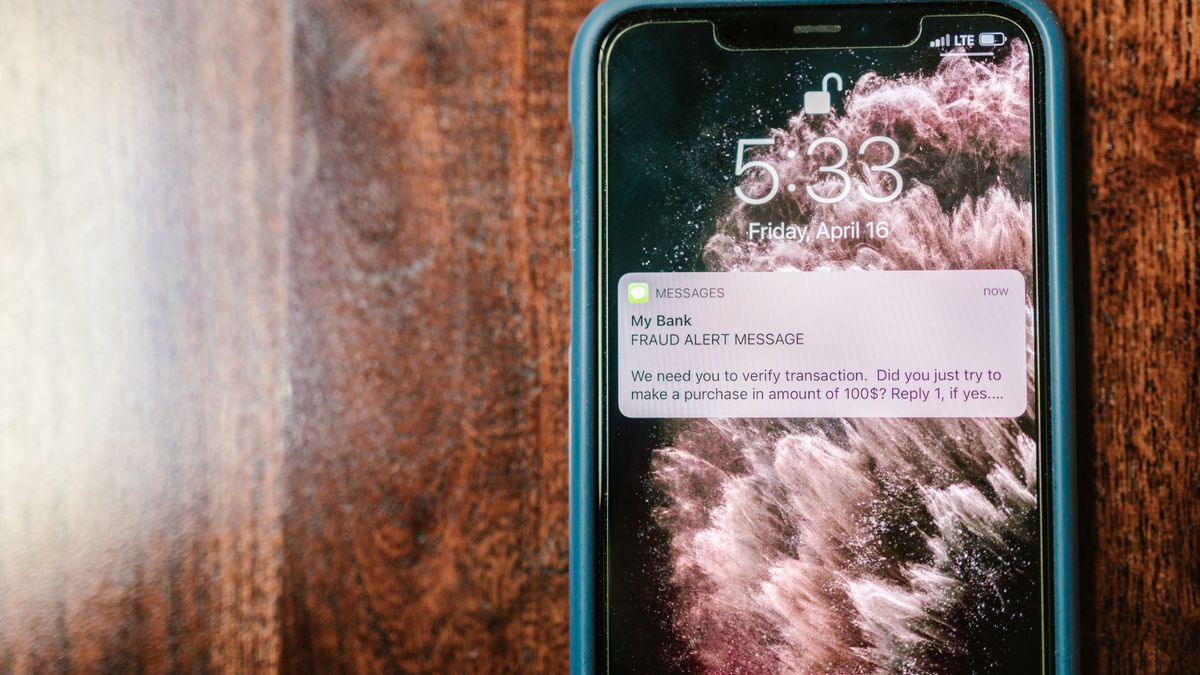
If you’ve ever tried to create a new Instagram account or log in from a different device, you’ve probably encountered SMS verification. Instagram sends a code to your phone number, and you need to enter it before you can continue. While this security measure helps protect accounts, it can be frustrating if you don’t want to share your personal phone number or if you’re managing multiple accounts.
The good news is that you can bypass Instagram SMS verification using temporary phone numbers. This approach lets you complete the verification process without giving Instagram your real number. Whether you’re concerned about privacy, traveling internationally, or simply want to keep your personal information separate from your social media presence, temporary numbers offer a practical solution.
In this guide, we’ll walk you through everything you need to know about using temporary and virtual phone numbers for Instagram verification. You’ll learn why Instagram requires SMS verification, what options are available to you, and how to complete the process step by step.
Why Instagram Requires SMS Verification
Instagram uses SMS verification as one of its primary security measures. When you sign up for a new account, log in from an unfamiliar device, or make changes to your account settings, Instagram may ask you to verify your identity through a text message code. This helps the platform confirm that you’re a real person and that you’re the legitimate owner of the account.
There are several situations where you might encounter SMS verification requests. Creating a new account almost always requires phone verification. If you log in from a new phone, tablet, or computer, Instagram may send a verification code to ensure someone hasn’t stolen your login credentials. Changing your password or email address can also trigger verification requests.
This security approach helps Instagram fight against spam accounts, bots, and unauthorized access. By requiring a phone number, the platform makes it harder for bad actors to create fake accounts in bulk. It also provides a way to recover your account if you ever forget your password or get locked out.
Understanding how verification works across different platforms can help you navigate these security measures more effectively. Our social media verification guide explains how various platforms handle account protection and what you can expect when setting up new profiles.
While SMS verification serves an important purpose, many users have legitimate reasons for not wanting to use their personal phone number. Privacy concerns, international travel, and managing business accounts separately from personal ones are all valid reasons to look for alternatives.
What Are Temporary Phone Numbers
Temporary phone numbers are phone numbers that you can use for a short period without committing to a long-term phone plan. These numbers work just like regular phone numbers—they can receive text messages and sometimes phone calls—but they’re designed for temporary use rather than as your primary contact number.
When you use a temporary phone number, you’re essentially borrowing a number that exists in a pool of available numbers. You can receive SMS messages sent to that number, including verification codes from services like Instagram. Once you’re done using the number, it may be recycled and assigned to someone else later.
Many online services and platforms have policies about temporary numbers and how they handle them for verification purposes. Some services accept temporary numbers without issue, while others may flag them or require additional verification steps. Instagram’s approach can vary, which is why choosing the right type of temporary number matters.
Temporary numbers come in different forms. Some are completely free and available through websites where you can see incoming messages publicly. Others are private numbers that only you can access, usually available through apps or paid services. The free public options are less reliable for Instagram verification because the numbers are often already flagged or overused.
The key advantage of temporary numbers is that they keep your personal phone number private. You don’t have to worry about receiving spam messages or having your real number associated with accounts you want to keep separate from your main identity.
Understanding Virtual Numbers for Verification
Virtual phone numbers are similar to temporary numbers but typically offer more features and reliability. While temporary numbers are often meant for one-time use, virtual numbers can function as a secondary phone line that you keep for an extended period.
A virtual number works through the internet rather than through a traditional phone carrier. When someone sends a text message or makes a call to your virtual number, it gets routed through an app or online service instead of going to a physical SIM card. This means you can use virtual numbers on any device with an internet connection, including phones, tablets, and computers.
Virtual numbers tend to be more reliable for Instagram verification than free temporary numbers. Because they’re assigned to individual users rather than shared publicly, they’re less likely to be flagged by Instagram’s security systems. Many virtual number services also let you keep the same number for months or years, which is helpful if you need to verify your account again in the future.
Privacy-conscious users often combine virtual numbers with other tools to manage their online presence. Using mobile proxies for social media alongside virtual numbers can provide an additional layer of privacy when managing accounts.
The main difference between temporary and virtual numbers comes down to longevity and exclusivity. Temporary numbers are typically short-term and may be shared, while virtual numbers are usually private and can be kept indefinitely. For Instagram verification, virtual numbers generally offer better success rates.
Top Services for Temporary Phone Numbers
Several services provide temporary or virtual phone numbers that you can use to bypass Instagram SMS verification. Each option has its own strengths, pricing, and features. Here are some of the most popular choices available.
Free Options
TextNow is a popular free option that gives you a real phone number you can use for texting and calling. The service is ad-supported, which is how they offer it at no cost. You download the app, sign up, and receive a phone number that works for receiving SMS verification codes. TextNow numbers are based in the United States and Canada, making them suitable for users in those regions.
The advantage of TextNow is that you get a dedicated number that’s yours to keep as long as you remain active on the service. This makes it more reliable than public temporary number websites where anyone can see incoming messages.
Google’s Option
Google Voice provides a free phone number to anyone with a Google account. This service lets you make calls, send texts, and receive verification codes through the Google Voice app or website. The number is tied to your Google account, giving you full control over who can contact you.
Google Voice is widely available and integrates well with other Google services. However, you do need an existing phone number to set up Google Voice initially, which means it works better as a secondary number rather than a complete replacement for phone verification.
Paid Options
Hushed is a paid service that offers more privacy features than free alternatives. With Hushed, you can get phone numbers from various countries and keep them completely separate from your personal identity. The service offers different pricing plans depending on how many numbers you need and how long you want to keep them.
Paid services like Hushed tend to have higher success rates with Instagram verification because their numbers are less likely to be flagged. They also offer better customer support and more reliable service compared to free options.
Choosing the Right Service
When selecting a service, consider factors like cost, reliability, and how long you need the number. Free services work well for occasional use, but paid options may be worth the investment if you need consistent access to a secondary number. Also consider whether you need a number from a specific country, as some services offer more international options than others.
Step-by-Step Guide to Using a Temporary Number on Instagram

Now that you understand your options, let’s walk through the process of using a temporary or virtual number to bypass Instagram SMS verification. Following these steps carefully will help you complete verification successfully.
Step 1: Choose and Set Up Your Number Service
Start by selecting one of the services mentioned above. Download the app or visit the website, then create an account. For services like TextNow or Google Voice, you’ll need to provide some basic information to get started. Once your account is ready, you’ll receive your temporary or virtual phone number.
Write down or copy your new number somewhere safe. You’ll need to enter it exactly as provided when Instagram asks for your phone number.
Step 2: Open Instagram and Begin Registration or Login
Open the Instagram app or visit the website. If you’re creating a new account, tap “Sign Up” and follow the initial prompts. You’ll be asked to enter your email address or phone number. When you reach the phone number field, enter your temporary or virtual number instead of your personal one.
During this process, you’ll also be choosing your Instagram username, so have a few options ready in case your first choice is taken.
Step 3: Request the Verification Code
After entering your temporary number, Instagram will send an SMS verification code. This usually happens within a few seconds, but it can sometimes take a minute or two. Keep your temporary number service open so you can see the incoming message.
Step 4: Retrieve and Enter the Code
Check your temporary number service for the incoming text message from Instagram. The message will contain a six-digit code. Copy this code and return to the Instagram app or website. Enter the code in the verification field and submit it.
If the code doesn’t arrive within a few minutes, you can usually request a new one. Some services have delays, so be patient before requesting additional codes.
Step 5: Complete Your Account Setup
Once Instagram accepts your verification code, you can continue setting up your account. Fill in your profile information, add a profile picture, and complete any remaining setup steps. After verification is complete, you might want to spend some time finding your Instagram URL so you can share your profile with others.
Troubleshooting Tips
If Instagram doesn’t accept your temporary number, try these solutions. First, make sure you entered the number correctly, including the country code. Second, try a different temporary number service, as some numbers may already be flagged. Third, wait a few hours before trying again, as Instagram may have temporary restrictions in place.
Using a virtual number from a paid service often has higher success rates than free temporary numbers. If you’re having persistent issues, consider upgrading to a paid option.
Privacy Benefits of Using Temporary Numbers

Using temporary phone numbers to bypass Instagram SMS verification offers several privacy advantages that many users find valuable. Understanding these benefits can help you decide whether this approach is right for your situation.
Keeping Your Personal Number Private
The most obvious benefit is that your real phone number stays private. When you use a temporary number for Instagram, the platform doesn’t have access to your personal contact information. This means you won’t receive marketing messages or calls related to your Instagram activity on your personal phone.
Your phone number is a valuable piece of personal information. It’s often used to verify your identity across multiple services, and having it exposed can lead to unwanted contact or even security risks. By using a separate number for social media, you create a barrier between your online presence and your personal life.
Reducing Data Collection
Social media platforms collect significant amounts of data about their users. By providing a temporary number instead of your real one, you limit the amount of personal information the platform can associate with your account. This is especially relevant for users who are concerned about Instagram privacy and profile views and want to maintain more control over their digital footprint.
Managing Multiple Accounts
If you need to manage multiple Instagram accounts—perhaps one personal and one for business—temporary numbers make this easier. Each account can have its own phone number, keeping them completely separate. This is particularly useful for social media managers, content creators, or anyone who wants to maintain distinct online identities.
Protection Against SIM Swapping
SIM swapping is a type of fraud where criminals convince your phone carrier to transfer your number to a SIM card they control. If your Instagram account is tied to a temporary or virtual number rather than your main phone number, this type of attack becomes less effective against your social media accounts.
Potential Risks and Limitations to Consider
While using temporary numbers to bypass Instagram SMS verification has clear benefits, there are also some risks and limitations you should be aware of before proceeding.
Number Recycling
Temporary numbers, especially free ones, are often recycled and assigned to new users after a period of inactivity. This means someone else might eventually get access to the number you used for verification. If they try to create an Instagram account with that number, it could potentially cause issues with your account. Using a paid virtual number service reduces this risk since you maintain exclusive access to your number.
Platform Detection
Instagram actively works to detect and block temporary phone numbers. The platform maintains lists of known temporary number services and may reject verification attempts from these numbers. This is why free public temporary number websites often don’t work—their numbers are already flagged. Paid services with dedicated numbers tend to have better success rates.
Account Recovery Challenges
If you lose access to your temporary number and later need to recover your Instagram account, you may face difficulties. Instagram often sends recovery codes to the phone number on file, so make sure you have alternative recovery options set up, such as a backup email address.
Following Platform Rules
It’s important to understand and follow Instagram community guidelines when using any verification method. While using a temporary number for privacy reasons is generally acceptable, using them to create spam accounts or engage in prohibited behavior can result in account suspension. Always use your account responsibly and within Instagram’s terms of service.
Service Reliability
Not all temporary number services are equally reliable. Some may have downtime, delayed message delivery, or other technical issues that could interfere with your verification process. Research services before committing to one, and have a backup option ready in case your first choice doesn’t work.
What to Do After Completing Verification
Once you’ve successfully used a temporary number to bypass Instagram SMS verification, there are several steps you should take to set up your account properly and start building your presence on the platform.
Secure Your Account
After verification, take time to secure your account with additional measures. Enable two-factor authentication using an authenticator app rather than SMS, which provides better security. Add a backup email address so you have multiple ways to recover your account if needed. Create a strong, unique password that you don’t use for other services.
Complete Your Profile
A complete profile helps you connect with others and makes your account look legitimate. Add a profile picture, write a bio that describes who you are or what your account is about, and consider adding a link to your website or other social media profiles. Taking time to set up your profile properly makes a good first impression on potential followers.
Start Creating Content
With your account verified and secured, you’re ready to start sharing content. Think about what kind of posts will resonate with your intended audience. Our guide on creating your first Instagram post can help you get started with content that makes an impact.
Learn from Others
One of the best ways to grow on Instagram is to study what works for others. Look at successful Instagram accounts in your niche to see how they present themselves, what kind of content they share, and how they engage with their audience. You don’t need to copy them exactly, but understanding what makes accounts successful can inform your own strategy.
Engage Authentically
Building a presence on Instagram isn’t just about posting content—it’s also about engaging with others. Follow accounts that interest you, leave thoughtful comments, and respond to people who interact with your posts. Authentic engagement helps you build genuine connections and grow your following organically.
Using a temporary number to bypass Instagram SMS verification is just the first step in your Instagram journey. With your account set up and secured, you can focus on what really matters: creating content, connecting with others, and building the presence you want on the platform.
